

221 words
1 minute
XAMPP 和 VMWare 的端口443冲突的解决
在电脑里装了VMware后,再要装xampp,十有八九就会出现这个问题:
10:21:18 [Apache] Problem detected!10:21:18 [Apache] Port 443 in use by ""d:\Program Files (x86)\VM\vmware-hostd.exe" -u "C:\ProgramData\VMware\hostd\config.xml"" with PID 2764!10:21:18 [Apache] Apache WILL NOT start without the configured ports free!10:21:18 [Apache] You need to uninstall/disable/reconfigure the blocking application10:21:18 [Apache] or reconfigure Apache and the Control Panel to listen on a different port这个问题是处在VMware上,VMware将443端口占用了,而apache也需要443端口。所以,想要开启apache的服务,必须要将VMware端口改变。
操作如下:
-
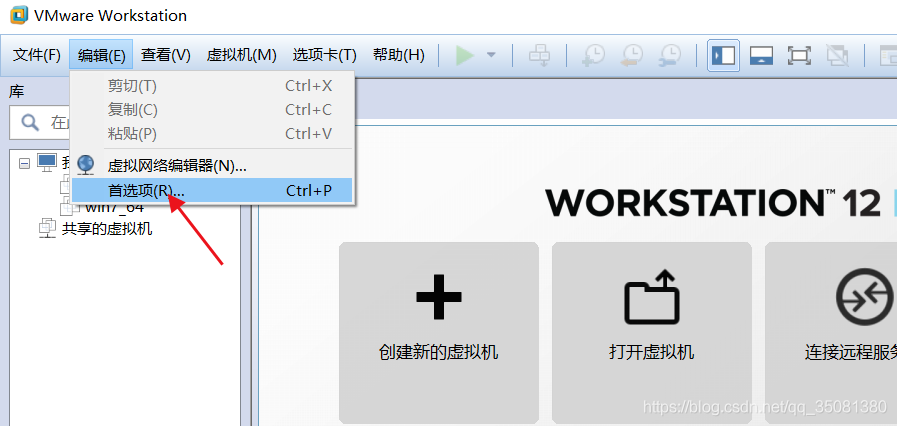
打开菜单 编辑→参数(Edit–> Preferences),如下图:
-
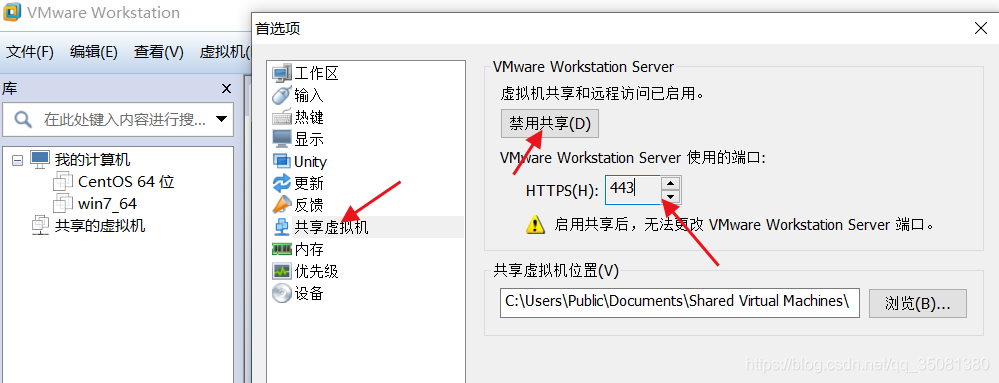
选择 共享虚拟机(Shared VMs),点击禁用共享。这里的HTTPS端口是443,正是apache需要的。
- 为了方便vmware的使用,我们把443修改成任意一个空闲端口即可,如下图:
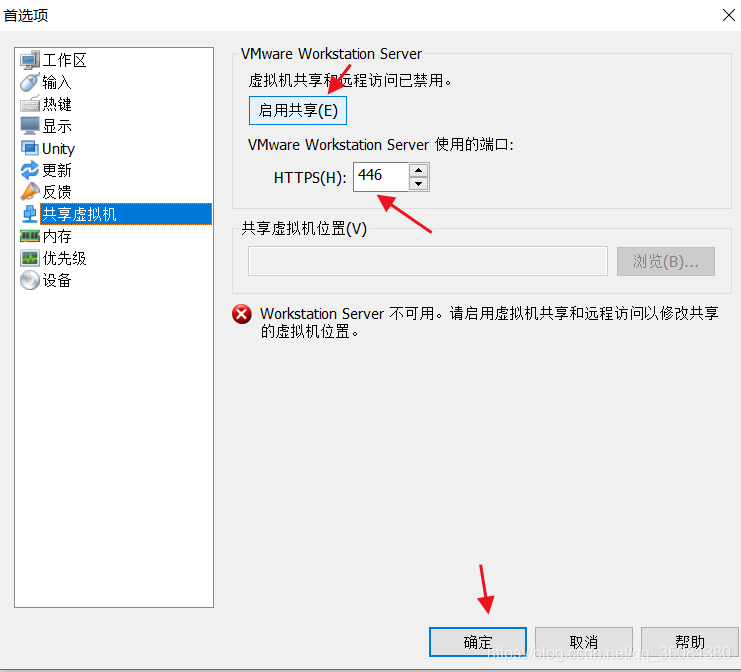
接下来启用共享,在开启apache,是不是问题就解决了呢?
XAMPP 和 VMWare 的端口443冲突的解决
https://blog.w23ta0.eu.org/posts/fix-xampp-vmware-port-443-conflict/